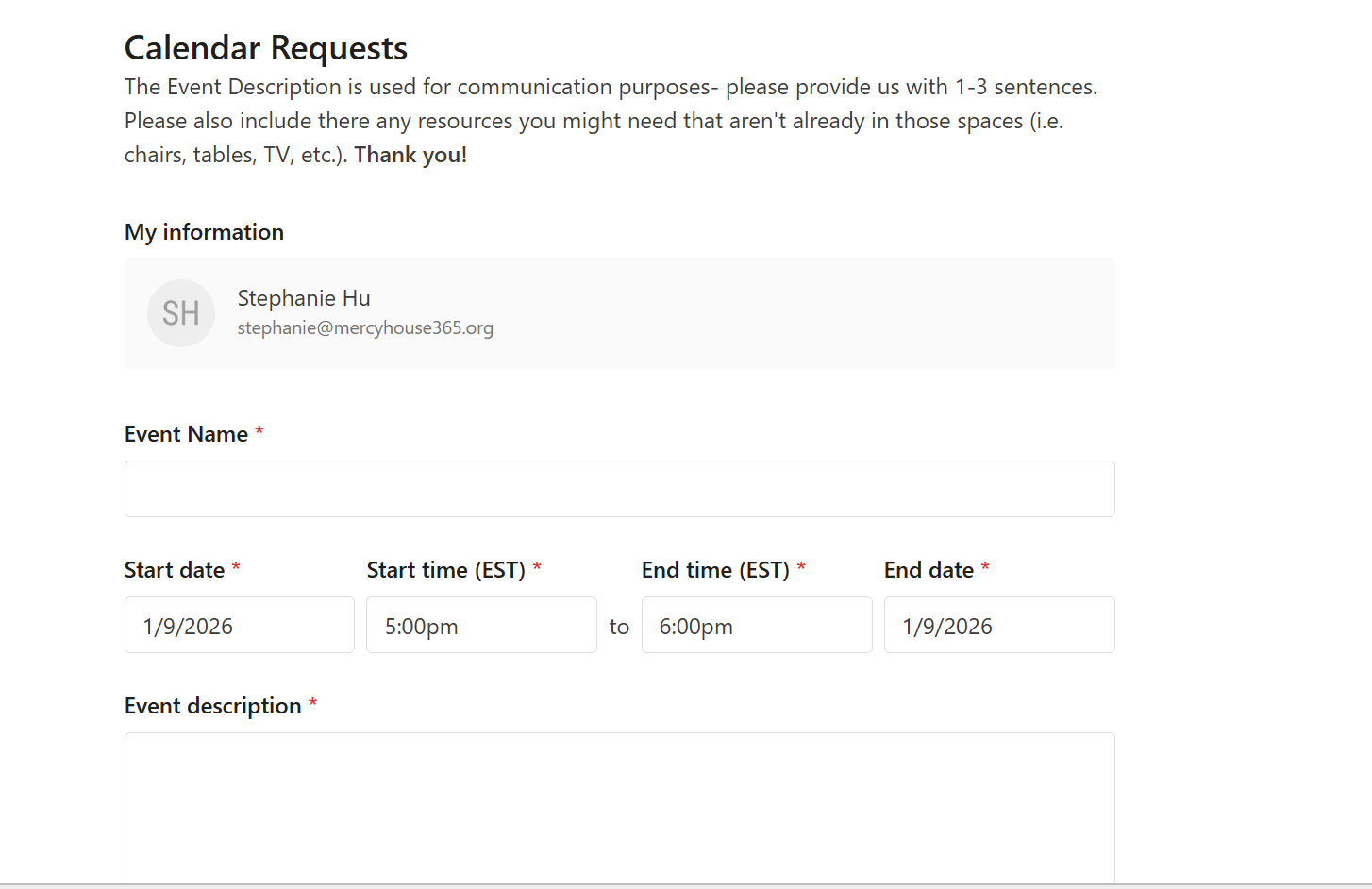
How to Request an Event
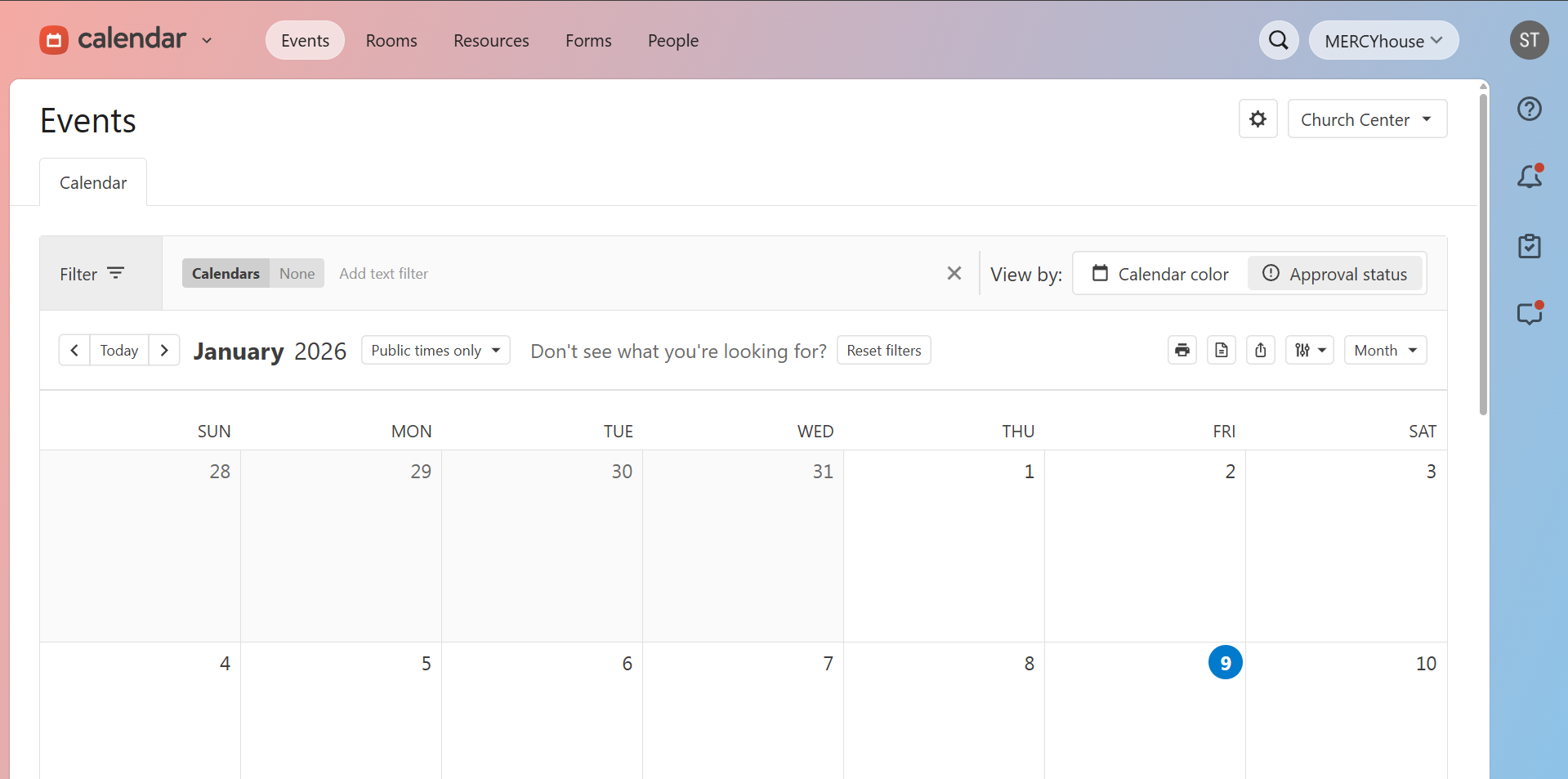
1) go to the calendar tab of planning center
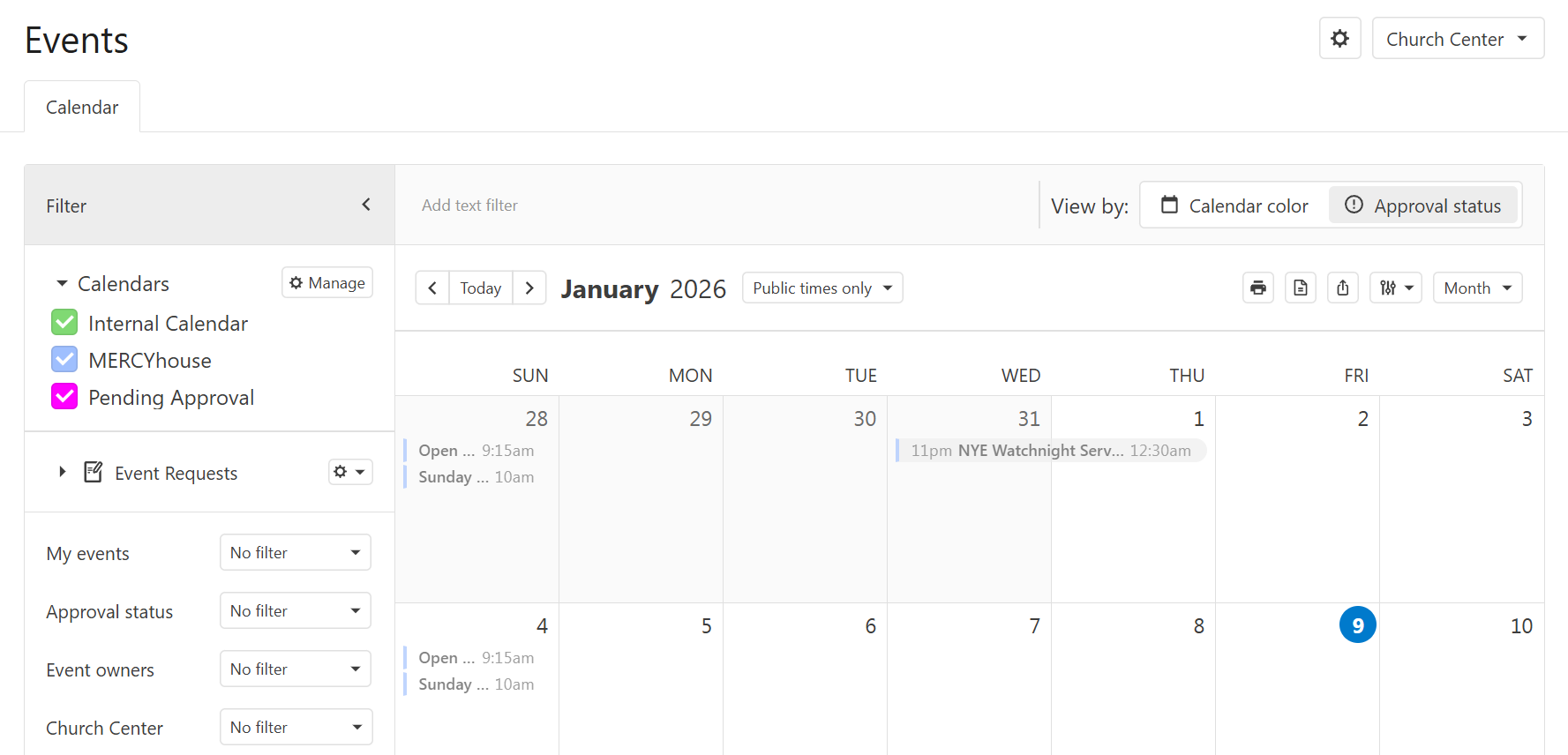
2) Click the “filter” gray box on the top left. check off the boxes for the 3 calendars to see all the events.
Internal Calendar = approved events that are either private/ministry-specific or not yet public
MERCYhouse = approved events that are public and published on the MH website
Pending Approval = events that have been requested and not yet approved